StableDiffusion
A latent text-to-image diffusion model.
Source | Paper (with copious images)
Reading
Articles
What is Stable Diffusion?
Stable Diffusion is an open-source generative AI image creation model. There are entire online communities devoted to sharing any number of specialized AI models and their outputs, perhaps none bigger than Civitai.com
Understanding LoRA and Checkpoints
Two important concepts to understand in order to gain the most insight from this article is that of checkpoints and LoRA (Low-Rank Adaption) models. A checkpoint is the saved state of a Stable Diffusion model along with all of its parameters and weights. It takes a lot of time and computational power to create a new Stable Diffusion model and a checkpoint is a snapshot in time of a Stable Diffusion model. A LoRA, takes a given Stable Diffusion checkpoint and then fine tunes a small part of it to perform a very specialized task.
For all of your computer scientists out there, let’s describe this in terms of a Git source control system. A checkpoint is akin to a commit in Git. Each git commit represents a snapshot of the entire codebase at a given point in time, that’s what a checkpoint is. A LoRA can be thought of as applying a patch or update to a small portion of the code base without requiring changes to the entire thing.
In this article, I will be using 3 different sets of checkpoints and LoRAs to show how app icons can be created for a set of fictional apps. However, the conceptual approach is the same across 3 example. Each one utilizes a checkpoint, a LoRA trained on top of the checkpoint, a prompt and a set of additional parameters to generate the final image.
Pre-Requisites:
- You will need to be running a local instance of a Stable Diffusion front end GUI such as Automatic1111. With each example app icon I generate, below them you will find a set of parameters you need to set in your Automatic1111 UI to get similar output, make sure you know how to set these. NOTE: I'm finding the Stability Matrix desktop install to be the easiest way to manage both ComfyUI and StableDiffusion installations.
- You should have a machine with a GPU that these models can run on, otherwise it is likely to take a very long time to generate any of these images. Given you will likely need to run multiple different prompts to get an app icon you want, I recommend starting your Automatic1111 web UI with the —xformers command line argument which will greatly improve the speed of generation.
- Each of the following LoRAs and checkpoints can be found on Civitai.com, you should know how to download these models and install them into your Automatic1111 install.
Approach 1: SD XL Generated App Icons
The “Icons.Redmond – App Icons Lora for SD XL 1.0” is a LoRA that is fine tuned to create app icons sized for iOS and Android apps. Since it uses SD XL 1.0 as its base checkpoint, which is the cutting edge Stable Diffusion model at the time of writing, it is a versatile LoRA that can do both app icons and general purpose image generation. This LoRA is very good at generating images that resemble existing app icon trends and even creates them with rounded borders that match how they look on an iOS app.
With this LoRA, to generate the best app icons you should use the following in your prompt “app icon, ios app icon” or “app icon, android app icon” which will trigger its execution. In addition, all of the examples using this LoRA uses the same set of negative prompts (things you want to explicitly NOT have in the image).
Model Details
| Checkpoint | SD XL |
|---|---|
| LoRA | Icons.Redmond – App Icons Lora for SD XL 1.0 |
| Author | artificialguybr |
App Example 1: PixelCat
Say you want to create an mobile game about a hungry cat searching for food that has a pixel art style to it. Naturally, an app icon for this type of game might be best served by a pixelated cat. Using the prompt “<[lora:IconsRedmondV2-Icons:1>](lora:IconsRedmondV2-Icons:1) a cute happy cat, pixel art, app icon, ios app icon”, the Icons.Remond LoRA nails it:

| Prompt | lora:IconsRedmondV2-Icons:1 a cute happy cat, pixel art, app icon, ios app icon |
|---|---|
| Negative Prompt | Negative prompt: bad art, ugly, deformed, watermark, duplicated |
| Steps | 20 |
| Sampler | DPM++ 2M SDE Karras |
| CFG Scale | 7 |
| Seed | 3693377738 |
| Size | 512×512 |
App Example 2: Hoppin
In the second example that uses the Icons.Redmond LoRA, we have a social network called “Hoppin”, which I am told is the place to go to share and consume the most viral Rabbit related content on the web. This example demonstrates creating a minimalist app icon with a simple shape in the foreground that many apps use (such as Discord, Monarch, Evernote, etc). In this case, we want to showcase the outline of a rabbit on a clean blue background.
Using the prompt “shape of a rabbit in white, blue background, app icon, ios app icon <lora:IconsRedmondV2-Icons:1>”, the LoRA outputs this:

| Prompt | shape of a rabbit in white, blue background, app icon, ios app icon lora:IconsRedmondV2-Icons:1 |
|---|---|
| Negative Prompt | bad art, ugly, deformed, watermark, duplicated |
| Steps | 20 |
| Sampler | DPM++ 2M SDE Karras |
| CFG Scale | 7 |
| Seed | 410673526 |
| Size | 512×512 |
In general, I’ve found this LoRA to be deliver the best overall output that matches common aesthetics found in app icons. Also, it is the only one of the models that outputs a PNG with the rounded edges that are common to all app icons.
Approach 2: “Flat” Designed App Icons
The FlatIcon LoRA is not a specialized app icon LoRA, however it is an excellent model for generating minimalist, ‘flat’ logos which make for excellent app icons. You’ll find using this LoRA will generate more skeuomorphic designs that were all the rage pre iOS 4.0, which are now making a comeback. Use this model for any app icon designs that you want to use a minimalist, simple, solid colored “flat” icon.
When using this model, you should prefix all of your prompts with “FlatIcon”. This model works best with simple prompts that describe a singular object like “clock”, “tree”, “wine bottle”. It is not nearly as good as the previous LoRA when given a more complicated prompt.
Model Details
| Checkpoint | DreamShaper |
|---|---|
| LoRA | FlatIcon LoRA |
| Author | AndreaDev3D |
App Example 3: Gandalf
In this example we have the latest app tearing up the app store charts, “Gandalf” the hottest dating sites for all the single wizards, witches, enchantresses and sorcerers seeking someone to cast spells and break brooms with. In this example, I’ve used the FlatIcon LoRA to create a flat image of a wizard’s hat that would make for an excellent app icon with the following prompt: “FlatIcon of a wizard hat with a blue background <lora:flaticon_v1_2:0.8>”

| Prompt | FlatIcon of a wizard hat with a blue background lora:flaticon\\_v1\\_2:0.8 |
|---|---|
| Negative Prompt | bad art, ugly, deformed, watermark, duplicated,FastNegativeEmbedding |
| Steps | 20 |
| Sampler | DPM++ 2M SDE Karras |
| CFG Scale | 7 |
| Seed | 3452475871 |
| Size | 512×512 |
App Example 4: BetterReads
In this example, we have the app BetterReads, a social network for book lovers to share and discover their next favorite book (think of GoodRead, except, you know, better). The prompt for this app icon is simply “FlatIcon bookshelf” and demonstrates how very simple prompts work very well with the FlatIcon LoRA.
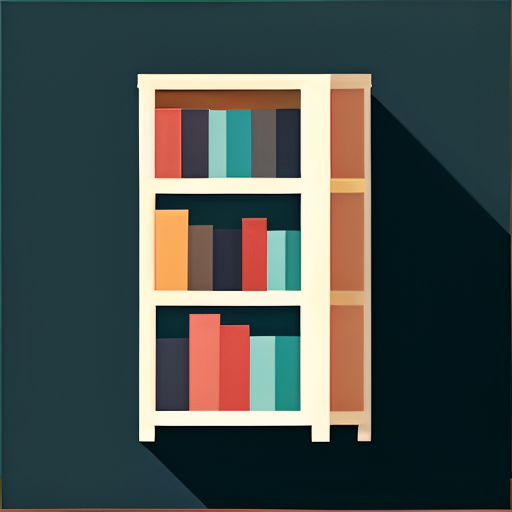
| Prompt | FlatIcon of a bookshelf lora:flaticon\\_v1\\_2:0.8 |
|---|---|
| Negative Prompt | bad art, ugly, deformed, watermark, duplicated |
| Steps | 20 |
| Sampler | DPM++ 2M SDE Karras |
| CFG Scale | 7 |
| Seed | 4250114416 |
| Size | 512×512 |
Approach 3: App Icons with Simple, Modern Lines
This approach utilizes another general purpose iconographic LoRA, this one specializing in vector illustrations. This style of illustration has gained popularity recently due to its simplicity and clean look (think Kurzegast or Bluey) feel and they make for really easy to see app icons. To trigger this LoRA, you need to have the words “vector illustration” in the prompt for the LoRA to activate. Much like the last LoRA, the simpler the prompt the better, it tends to struggle with prompts that complex scenes, however it does particularly well generating vector illustrations of cute animals.
Model Details
| Checkpoint | Realistic Vision V6.0 B1 |
|---|---|
| LoRA | Vector Illustration |
| Author | vizsumit |
App Example 5: Spaghetti Now!
Sometimes you just need some spaghetti. Imagine an app that geolocates the best bowls of spaghetti in your area, it’s called Spaghetti Now! Using the Vector Illustration LoRA I am able to create a pretty neat looking app icon of a bowl of spaghetti that fits the app very well. With the prompt of “<lora:Vector_illustration_V2:1> vector illustration, spaghetti, plate”, the model generates the following app icon:
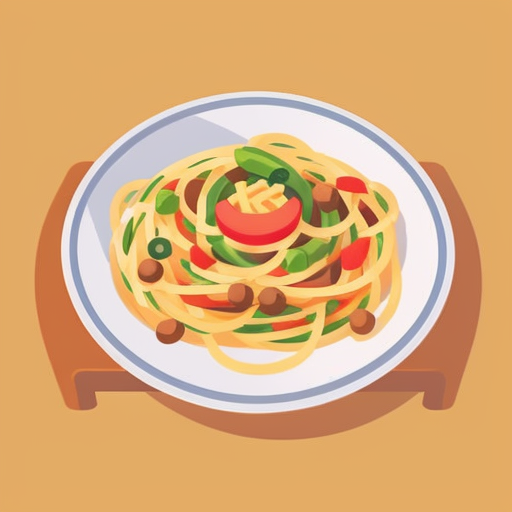
| Prompt | lora:Vector\\_illustration\\_V2:1 vector illustration, spaghetti, plate |
|---|---|
| Negative Prompt | ugly, bad, blurry, low resolution, low quality, over saturated, b&w |
| Steps | 40 |
| Sampler | Euler A |
| CFG Scale | 7 |
| Seed | 4254430266 |
| Size | 512×512 |
Creating App Icon Assets from Stable Diffusion Generated PNGs
Once I’ve generated a PNG that I want to use as my app icon, the next thing that I need to do is create a set of vector design assets that I can use to generate all the different sizes and resolutions that are needed by Apple’s App Store Connect and Google Play Store. Stable Diffusion just generates a single, rasterized PNG. However, in order to drop this into your app listing or code, you really need a vector file. You can try and futz around with tools like Adobe Illustrator to vectorize a rasterized PNG, however, they really do not work that well. Rather ironically, the easiest and quickest way to get vector assets from your AI generated app icon is to go to Fiverr and hire someone to do it. I’ve done this a number of times and have gotten excellent results for less than $20 USD.
Conclusion
While generative AI is not at the point where it can actually create the design of an app for you, it is good enough to create engaging, appealing app icons for almost any type of with any type of art style. With the use of open source tools like Stable Diffusion coupled with the rich ecosystem of models and checkpoints being shared in communities such as CivitAI, you can harness the jaw dropping power of generative AI to create beautiful app icons.
Tags: tool ai model generative image text to image
Last modified 03 November 2026